12 min read
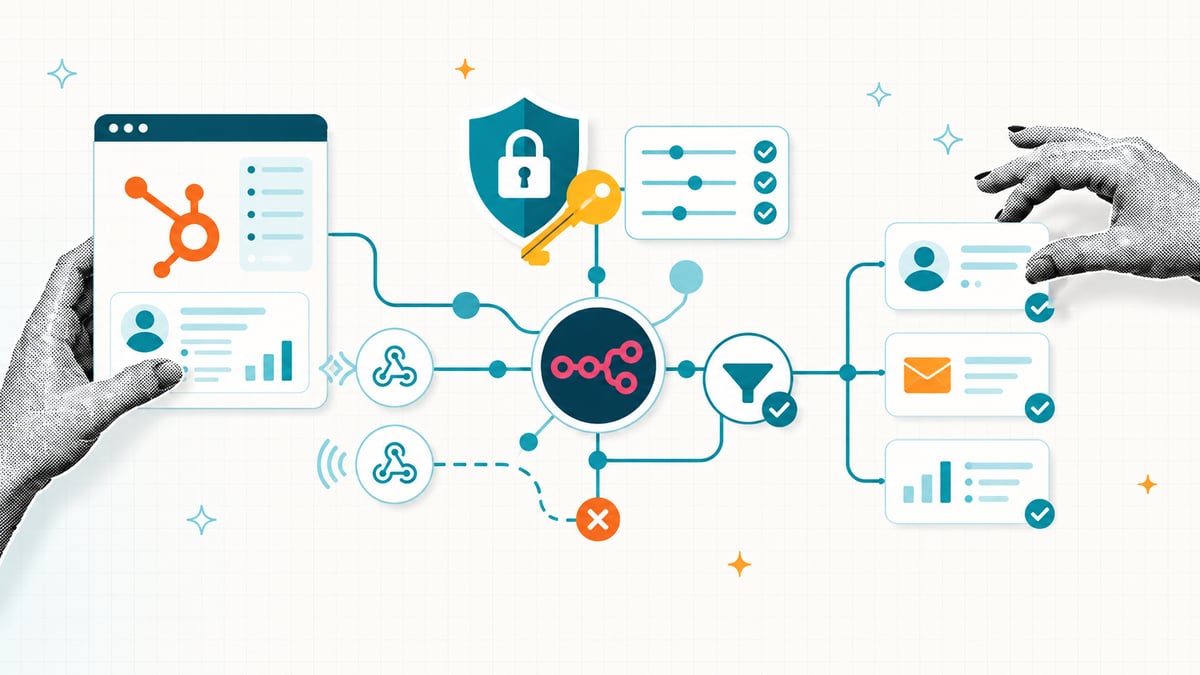
n8n has become the favorite of anyone who wants to automate HubSpot without writing an entire integration by hand, and for good reasons. It is visual, flexible, runs on your own infrastructure if you want, and has a native HubSpot node plus an HTTP node that reaches any endpoint. In a few minutes you connect HubSpot to almost any tool.
But that ease hides a few traps that show up on the first serious integration: the credential that does not work with the node you picked, the scope error that stalls a step, the webhook that only fires with the editor open, the flow that runs twice and creates duplicates. None of them is hard to solve once you understand what is happening. In this guide, I will take you from zero to an n8n integration with HubSpot that connects properly, authenticates securely, and handles webhooks without duplicate triggers.
Where the credential lives, and which one to pick
The first rule, which is about security, is where the credential lives. In n8n, the HubSpot credential is stored in the tool's credential manager, never inside the flow itself. That separation matters: the flow logic can be exported, shared, and version-controlled without ever exposing the token, because it lives in a separate vault.
The second rule is choosing the right credential, and this is where most people stumble, because there is not one path, there are three, and they are not interchangeable. For the HubSpot node, the one that reads and writes records, n8n today recommends the service key, which you generate in HubSpot under the development keys area, choosing the scopes at creation time. You paste it into n8n's app token field. OAuth2 is the other supported option for that same node, and it is what you want when the integration will serve more than one portal.
The third one exists for a single purpose: the HubSpot Trigger node requires the developer API key credential, and nothing else works there. That credential is not just a key. It asks for a client id, a client secret, an app id, and the developer API key itself, all of which come from a public app created in a HubSpot developer account. So if your plan was to reuse the token you already have to make the trigger work, it will not work, and that is by design, not a bug.
Two warnings worth carrying with you. The plain API key authentication was deprecated by HubSpot, and although the option still shows up on n8n's screen, it should not be used. And private apps created through the interface have moved to legacy status, with HubSpot pointing to the service key as the successor. The service key itself is in public beta, so it is worth keeping an eye on changes.
Scopes: the number one cause of errors
If a HubSpot node in n8n returns a permission error, the safest bet is that the credential is missing a scope. The logic is the same as the direct API: each operation requires a scope, and reading is different from writing. The path is to list which endpoints your flow actually uses and check that the credential has the scope for each, carefully separating read from write.
n8n makes this easier than it looks, because it publishes a starting list of recommended scopes, and there are two different lists: one for the HubSpot node, which includes read and write on contacts, companies and deals plus the schema scopes, and a leaner one for the Trigger node, which only needs read. Starting from the right list and adjusting from there solves most permission errors before they happen.
And here comes the part that a lot of tutorials get wrong. On a static credential, adding a scope does not require you to generate a new key or update anything in n8n. You edit the scopes in HubSpot, save, and the same credential starts carrying the new permission. What does require a new round trip is OAuth: there, changing the scopes means the app has to be authorized again, with the consent flow repeated, because the previously issued token was minted with the old set. Knowing which of the two you are on saves you from rotating a key for nothing.
Trigger vs Action: two different roles

HubSpot nodes in n8n split into two roles, and understanding the difference avoids confusion. The Trigger node makes the flow start when something happens in HubSpot. It works on top of HubSpot's webhooks API, and it registers the event subscription itself, which is precisely why it demands the developer app credential described above. Use the Trigger when you want to react to changes, like a new contact or a deal that changed stage.
The Action node, on the other hand, makes the flow read or write to HubSpot as a step in the middle of the process. It creates, updates, or fetches records when the flow is already running for another reason. The mental rule is simple: Trigger is what starts the flow from HubSpot, Action is what the flow does with HubSpot along the way. Mixing the two roles in your head is what creates confusing, hard-to-maintain flows.
There is a third path that the native Trigger does not cover, and it is worth knowing: the generic Webhook node. It gives you a plain URL that any system can call, including a webhook you configure by hand in a HubSpot app or a webhook action inside a workflow. It is the escape hatch for when you want to hear an event the Trigger node does not expose, and it is also where the next section's trap lives.
Test vs production webhooks
Here is one of the most common stumbles for those starting with n8n, and it eats hours from people who do not know the difference. n8n works with two webhook addresses for each flow: a test one and a production one. The test address only listens while the editor is open and you have clicked execute, because it exists for you to try the flow while building it.
The classic mistake is wiring the webhook on the HubSpot side, or leaving the flow inactive, and then not understanding why nothing happens in production. The rule is direct: for production, activate the flow in n8n and make sure the production address is the one in play. If your automation only works when you have the editor open, you are almost certainly still on the test path.
Avoid duplicate triggers
Webhooks can deliver the same event more than once, and poorly configured flows can fire in a loop, which becomes a problem fast. Since n8n makes it easy to create automations, it also makes it easy to create automations that bite their own tail, for example a flow that updates a record, which fires a webhook, which triggers the same flow again.
The defense is the same as automation via API: handle idempotency. Use the event or record identifier to recognize and ignore repeats. And add filters at the very start of the flow to discard, as early as possible, the events that do not matter. A small clarification here, because it is often stated wrong: filtering early does not save you an execution, since n8n counts the execution the moment the flow starts. What it saves is processing, external calls, and side effects, which is reason enough to do it.
The HTTP node for what the native node does not cover
The native HubSpot node in n8n covers the most common operations, creating and updating contacts, deals, and activities, but it does not reach everything. When you need an endpoint the native node does not bring, like creating a workflow through the Automation v4 API, which is in beta, or touching specific associations, the path is the HTTP Request node. It makes any call to the HubSpot API and can reuse the same credential stored in the n8n vault, which keeps security intact.
In practice, most integrations combine the two: the native node for the trivial, which stays more readable, and the HTTP node for what falls outside the common. Knowing how to switch between them is what unlocks the more advanced cases without you having to abandon n8n and go to code from scratch. The trick is to build the HTTP node with the same care as the direct API: the right body format, the scopes the endpoint demands, and cursor pagination handling when the response comes in pages.
Why this matters for your operation
n8n democratizes automation: people who do not code manage to connect HubSpot to dozens of tools and take manual processes off the team's back. That is a huge productivity gain when done well. But the same ease that empowers also lets you create fragile automations, that fire duplicates, leak credentials in the flow, or fail silently.
That is why the precautions of credential in the vault, the right credential type for the right node, the correct scope, the production address, and idempotency are not boring technical details, they are what makes the difference between an automation the team trusts and one that becomes a source of rework and customer complaints. n8n's ease is a double-edged sword, and discipline is what makes the right edge cut in your favor.
A tip from someone who has been burned: before debugging a node that will not authenticate, check which credential type it actually accepts. Half the frustration with HubSpot in n8n comes from trying to run the Trigger with a key that was never meant for it. The error message says permission, but the real problem is the credential type.
In practice: the flow that created contacts in duplicate
An operation built an n8n flow that created a contact in HubSpot from an external form, and now and then the contact was born duplicated. The cause was twofold: the webhook sometimes arrived twice, and the flow created the contact without first checking whether it already existed, treating each delivery as new.
The fix had two parts. First, stop creating blindly: match the contact by its unique identifier and update it if it already existed instead of creating again. Second, use the event identifier to ignore repeated webhook deliveries. The duplicates stopped, and the flow became robust enough to withstand the repeats that are part of any webhook's life.
A reflection for operation leaders: the tool that lets anyone build an automation in an afternoon is the same one that lets anyone build a fragile automation in an afternoon. n8n does not create discipline, it only removes the excuse of not having a developer available. The teams that get the most out of it are the ones that treat a flow with the same seriousness they would treat code: reviewed, versioned, and idempotent.
Checklist of a reliable n8n integration
- Is the HubSpot credential in the n8n manager, never inside the flow?
- Are you using the credential type the node actually accepts, with the developer app credential for the Trigger?
- Does the credential have the scopes for each endpoint the flow uses, starting from the recommended list?
- Do you use Trigger to start from HubSpot and Action to read or write along the way?
- Is the flow activated and running on the production address, not the test one?
- Does the flow handle idempotency, ignoring repeated deliveries by event id?
- Are there filters at the start of the flow to discard irrelevant events early?
Frequently asked questions
Where do I store the HubSpot token in n8n?
In the n8n credential manager, never inside the flow. That way the logic can be exported and version-controlled without exposing the token, which stays in a separate vault.
Which credential should I use with each node?
For the HubSpot node, n8n recommends the service key, with OAuth2 as the alternative when the integration serves more than one portal. For the HubSpot Trigger node, only the developer API key credential works, and it requires a public app created in a HubSpot developer account, with client id, client secret, and app id.
I added a scope and the error persists. Do I need a new token?
On a static credential, no. You edit the scopes in HubSpot, save, and the same credential carries the new permission. On OAuth, yes: the app has to be authorized again, because the token that was already issued was minted with the old set of scopes.
Why does my webhook only work with the editor open?
You are on n8n's test address, which only listens while the editor is open. Activate the flow so the production address takes over.
What is the difference between Trigger and Action in n8n?
The Trigger makes the flow start when something happens in HubSpot, working on top of the webhooks API and registering the subscription itself. The Action makes the flow read or write to HubSpot as a step along the way. Trigger starts, Action executes.
Can I use n8n for any HubSpot endpoint?
Yes. Besides the native node, which covers common operations, the HTTP Request node reaches any API endpoint, including those the native node does not cover, reusing the credential stored in the vault.
Want to automate processes between HubSpot and your tools with n8n, without duplicate triggers or credential errors? At Insight Sales we build and maintain those flows securely. Talk to our team and find out how we can help.
Ready to take your operation to the next level?
Talk to a specialist and see how we can help.