HubSpot Public App vs Private App: Which One to Use
 Brenda Linhares - Partner & CMO
11 min read
Brenda Linhares - Partner & CMO
11 min read
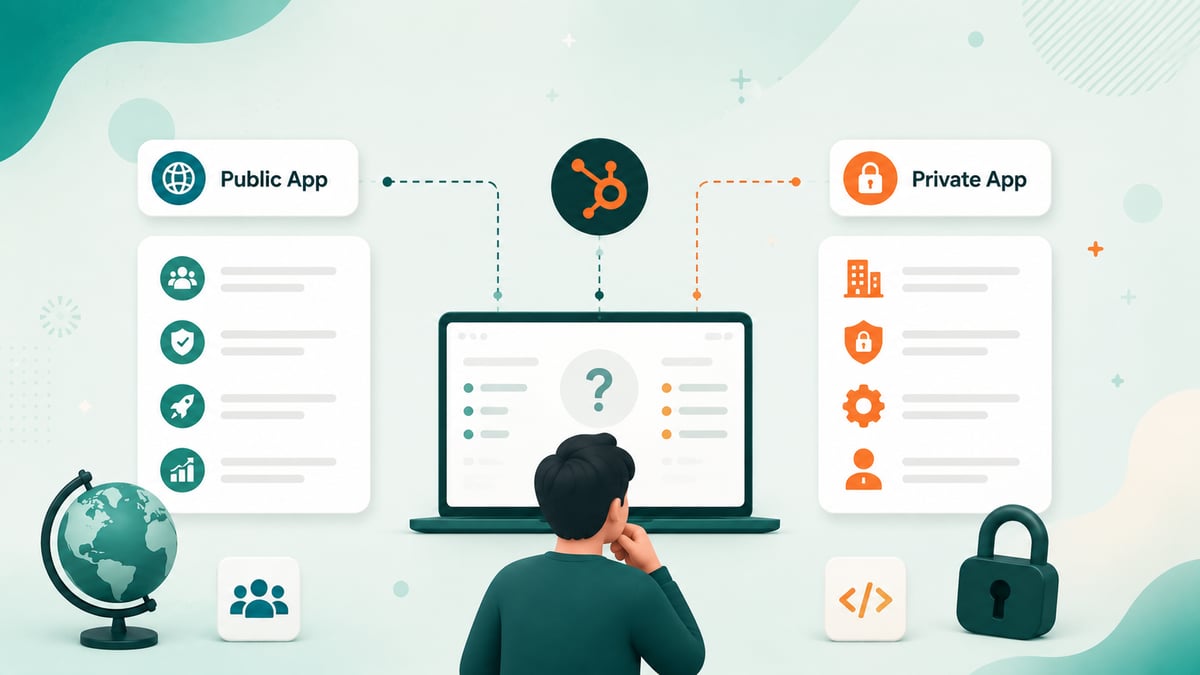
Quick answer: Use a private app when you're integrating with a single HubSpot account you control, your own portal's internal automations, scripts, and custom integrations. One update for 2026: for single-account, data-only integrations (syncs, scripts, BI connectors), HubSpot now points to account service keys as the recommended credential, and treats private apps created in the portal UI as legacy. A private app still makes sense when you need webhooks. Use a public app when the integration will be installed on multiple HubSpot accounts, a product you sell, a marketplace listing, or anything customers connect themselves. Private apps authenticate with a static, non-expiring access token you can rotate; public apps require OAuth 2.0 with 30-minute access tokens and refresh tokens. If you need an App Marketplace listing, a public app is mandatory.
If you're building on HubSpot's APIs in 2026, this is the first architectural decision you'll make — and it's worth getting right, because it determines your authentication model, your distribution options, and how much infrastructure you'll need to maintain. This guide compares the two app types on the criteria that actually matter, covers what HubSpot's new developer platform changes, and gives you a decision framework you can apply in five minutes.
Key takeaways
- Private apps = one HubSpot account, static rotatable token, set up in minutes, up to 20 per account. No marketplace listing. HubSpot now treats UI-created private apps as legacy; for data-only single-account integrations, account service keys are the recommended credential..
- Public apps = many HubSpot accounts, OAuth 2.0 required, developer account required, eligible for the App Marketplace, plus features like timeline events.
- Both app types use the same scopes and the same APIs — migrating from private to public later is straightforward.
- On HubSpot's 2025.2 developer platform, the choice is now framed as distribution (private vs. marketplace) plus auth (static token vs. OAuth) — and private-distribution apps can now use OAuth too.
- Legacy public app creation was sunset on June 23, 2026 — new public apps must be built on the current developer platform (projects + CLI). Existing legacy apps keep working.
- OAuth for public apps means refresh token management: storage, rotation, and re-authorization flows are on you.
What is a HubSpot private app?
A private app is an integration scoped to one specific HubSpot account. You create it directly in your portal (Settings → Integrations → Private Apps, or via projects on the new developer platform), pick the scopes it needs, and HubSpot issues a static access token immediately. No OAuth dance, no redirect URLs, no token refresh logic — you put the token in your secrets manager and start calling APIs. Note that HubSpot now labels these UI-created private apps as legacy. Since February 2026, the recommended path for new system-to-system integrations on one account is an account service key (Settings → Integrations → Service Keys, in public beta), which gives you the same static credential with rotation and audit logging but without webhook support. The private app remains the option when your single-account integration needs webhooks.
Key characteristics, per HubSpot's private apps documentation:
- The token never expires, but you can rotate it at any time if it's compromised.
- Each account can have up to 20 private apps, each with its own scopes — useful for splitting permissions across jobs (one app for a data sync, another for a reporting script).
- Private apps support webhook subscriptions on CRM object changes — though in legacy private apps, subscriptions are edited in the app's settings UI, not programmatically.
- Rate limits are per app for burst traffic (100 requests/10s on Free/Starter, 190/10s on Professional/Enterprise, up to 200/10s with the API add-on), while daily limits are shared across the account.
What is a HubSpot public app?
A public app is an integration designed to be installed on many HubSpot accounts — your customers', not just yours. It lives in a developer account, authenticates exclusively via OAuth 2.0, and is the only app type eligible for a HubSpot App Marketplace listing (after passing HubSpot's review).
The OAuth requirement changes your engineering reality: users install with one click, and your app receives a 30-minute access token plus a long-lived refresh token per installed portal. That means building token storage, proactive refresh, and re-authorization flows — the full production checklist we covered in our guide to the HubSpot invalid refresh token error. In exchange, public apps unlock capabilities private apps don't have, including custom timeline events on CRM records and app-level settings pages inside the customer's portal.
HubSpot public app vs private app: side-by-side comparison
| Criteria | Private app | Public app |
|---|---|---|
| Accounts | One account only | Unlimited accounts (multi-tenant) |
| Authentication | Static access token (non-expiring, rotatable) | OAuth 2.0 — 30-min access tokens + refresh tokens |
| Setup time | Minutes, inside your portal | Requires developer account, OAuth flow, install URL |
| App Marketplace | Not eligible | Required for listing (with HubSpot review) |
| Webhooks | Yes (CRM object subscriptions) | Yes, full support |
| Timeline events | No (legacy private apps) | Yes |
| Scopes & APIs | Same scopes, same REST APIs | Same scopes, same REST APIs |
| Rate limits | Per-app burst; account-shared daily limit | Per-account-per-app limits |
| Token management burden | Minimal — store and rotate one secret | Full OAuth lifecycle per installed portal |
| Best for | Single-portal integrations that need webhooks (for data-only syncs and scripts, HubSpot now recommends an account service key instead) | SaaS products, agencies' multi-client tools, marketplace apps |
Both app types accept the same OAuth scopes and use identical API request methods, as HubSpot's own comparison guide notes, which makes starting private and migrating to public later a low-risk path.
How do you choose between a public and a private app?
Ask three questions, in order:
1. How many HubSpot accounts will this touch? One account, yours or a single client's, points to a single-account credential: an account service key if the integration only reads and writes data, or a private app if it also needs webhooks. More than one, or "we don't know yet, but customers will install it," points to a public app. This is the dominant factor; almost everything else is downstream of it.
2. Do you need marketplace distribution or public-app-only features? An App Marketplace listing requires a public app, full stop. Same if you need custom timeline events on contact/company/deal records. If your integration is a workflow custom code action, a data sync, or a reporting script, a private app covers it.
3. How much auth infrastructure do you want to own? A private app is one secret in a vault. A public app is a token store, refresh logic, race-condition handling, and reconnect flows for every installed portal. If you don't have the engineering capacity for that lifecycle, don't take it on before you need it.
A common real-world pattern, echoed in HubSpot Community discussions: teams default to private apps with well-chosen scopes for anything internal, and only reach for a public app when multi-account distribution genuinely appears on the roadmap.
What changes with HubSpot's 2025.2 developer platform?
If you've read older tutorials, note that HubSpot has been reshaping how apps are built. On the current developer platform, apps are defined in code — a project deployed via the HubSpot CLI, with configuration in an app-hsmeta.json file — and the public/private question is reframed along two axes:
- Distribution: private (your account) or marketplace (anyone can install)
- Authentication: static token (private distribution only) or OAuth (available for both, mandatory for marketplace)
The practical consequence: you can now build a private-distribution app that uses OAuth, a middle ground that didn't exist in the legacy model — useful when you want OAuth's security properties without a marketplace listing. Marketplace OAuth apps get the broadest feature access (app cards, webhooks, serverless functions).
Two dates to plan around: legacy public app creation was sunset on June 23, 2026 (existing legacy apps remain supported, but new public apps are built on the current platform), and HubSpot's older docs now label classic private/public apps as "legacy" — they keep working with all REST APIs, but new platform features land on projects-built apps first.
Can you start with a private app and switch to a public app later?
Yes — and it's often the right sequencing. Because scopes and API calls are identical, the migration is mostly an authentication swap: replace the static token header with the OAuth token lifecycle, register a redirect URL, and build the install flow. Your business logic — the API calls themselves — doesn't change. HubSpot also publishes a migration path to the projects framework for moving existing apps onto the current platform.
The trap to avoid is the reverse: shipping a public app to a single customer "to be safe," then carrying OAuth infrastructure you didn't need for years. Match the tool to the actual distribution requirement.
Why this decision is a RevOps question, not just an engineering one
App architecture determines who can see and change what in your CRM. Twenty private apps with scoped permissions is a governance surface; an OAuth app installed across client portals is a data-access agreement. If your team treats integration health, permissions hygiene, and API observability as part of revenue operations — with owners and dashboards — the public/private decision becomes an explicit trade-off instead of an accident. And if nobody on the team owns that layer today, a RevOps-as-a-Service partner can own it for you, from scope audits to token lifecycle monitoring.
Frequently asked questions
What is the main difference between a HubSpot public app and a private app?
Distribution and authentication. A private app connects to one HubSpot account using a static, non-expiring access token. A public app can be installed on unlimited accounts, authenticates via OAuth 2.0 with refresh tokens, and is the only type eligible for the HubSpot App Marketplace.
Do HubSpot private apps support webhooks?
Yes. Private apps can subscribe to webhooks for CRM object changes (creates, updates, deletes). In legacy private apps, webhook subscriptions are managed in the app's settings UI rather than programmatically via API.
How many private apps can I create in a HubSpot account?
Up to 20 private apps per HubSpot account. Each has its own access token and scopes, which lets you split permissions across different integrations instead of sharing one over-privileged token.
Do private app access tokens expire?
No. Private app access tokens are static and never expire on a schedule. You can rotate the token manually at any time, for example, after a suspected leak, which immediately invalidates the old token.
Can a private app be listed on the HubSpot App Marketplace?
No. Marketplace listings require a public app (marketplace distribution on the current platform), which must authenticate via OAuth and pass HubSpot's app review process.
Is a HubSpot public app harder to build than a private app?
Yes, primarily because of OAuth. A public app requires a developer account, an install/authorization flow, and per-portal token management — storing refresh tokens, refreshing 30-minute access tokens, and handling revocations. A private app needs none of that.
Are the API scopes different between public and private apps?
No. Both app types use the same scopes and the same REST APIs, and requests are made the same way. This is why migrating an integration from private to public is mostly an authentication change, not a rewrite.
What happened to legacy public apps in 2026?
HubSpot sunset the creation of legacy public apps on June 23, 2026. Existing legacy apps continue to work and remain supported, but new public apps are built on the current developer platform using projects, the HubSpot CLI, and an app-hsmeta.json configuration.
Can a private app use OAuth on the new developer platform?
Yes. On HubSpot's 2025.2 developer platform, distribution (private vs. marketplace) and authentication (static token vs. OAuth) are separate choices — so a private-distribution app can authenticate with OAuth, an option that didn't exist in the legacy model.
Ready to take your operation to the next level?
Talk to a specialist and see how we can help.