Video on HubSpot: Native Hosting, Embedding & How to Choose
 Brenda Linhares - Partner & CMO
4 min read
Brenda Linhares - Partner & CMO
4 min read
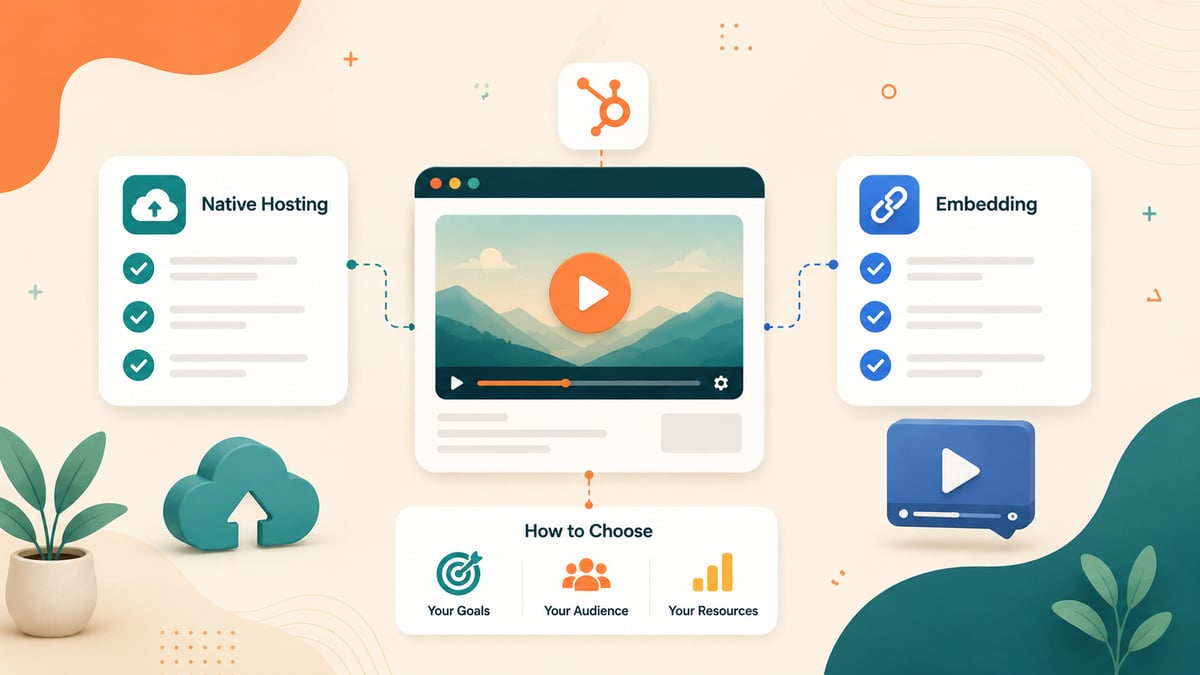
Quick answer: HubSpot gives you two ways to put video on your content. Native HubSpot Video (Marketing, Service, or Content Hub Professional/Enterprise) hosts the file in your portal and unlocks CRM-connected analytics, in-video CTAs and forms, AI captions, and an ad-free player. Embedding pulls the video from an external platform like YouTube or Vimeo, works on every HubSpot plan, and costs nothing. Choose native hosting for conversion-focused videos on landing pages and gated content; choose YouTube embeds when reach and channel discovery matter more than lead capture; choose Wistia or Vidyard when you need a dedicated video marketing suite on top of HubSpot.
Video converts, but only if you make the right infrastructure choice first. Where your video lives determines what data you get back, whether viewers see competitor ads next to your content, and whether a play becomes a contact in your CRM. This guide covers how native HubSpot video hosting works in 2026, every embedding option, the limits per subscription tier, and a decision framework for choosing between them.
Key takeaways
- Native HubSpot Video requires Marketing Hub, Service Hub, or Content Hub at Professional or Enterprise tier. Embedding external video works on all plans, free included.
- Video limits with advanced features: 50 videos on Marketing/Service Hub Pro and Enterprise, 150 on Content Hub Professional, 500 on Content Hub Enterprise.
- Native hosting unlocks what embeds can't: CTAs and forms inside the player, view data on contact timelines, retention and qualified-view metrics, AI-generated captions and chapters (Content Hub).
- Embeds work via oEmbed (paste a YouTube/Vimeo URL into a rich text module) or raw embed code. Private videos with extra security are not supported.
- No email client plays embedded video. Gmail, Yahoo, and Outlook all block it. The correct pattern is a thumbnail with a play button linking to the hosted video.
- Third-party platforms (Wistia, Vidyard, Loom) sit in between: deeper video tooling than native, with HubSpot integrations for pushing view data into the CRM.
How does native HubSpot video hosting work?
HubSpot Video is built into the files tool. You upload an .mp4, and HubSpot hosts, transcodes, and serves it from your portal, ready to insert into pages, blog posts, knowledge base articles, and marketing emails. Per HubSpot's knowledge base, native video features require a Professional or Enterprise subscription to Marketing Hub, Service Hub, or Content Hub.
What you get beyond a player, according to HubSpot's video file management documentation:
- Conversion tools inside the player. Add a CTA or a form before, during, or after playback, with the option to prevent viewers from skipping it. This is the feature that turns an anonymous view into a contact record.
- CRM-connected analytics. Total plays, unique viewers, average view duration, completion rates, and "qualified views" (75% or more watched), visible on content performance pages and on individual contact timelines.
- SEO and accessibility tooling. Custom titles, keywords, and descriptions per video, thumbnail editing, uploaded or AI-generated captions, AI caption translation, and up to 20 chapters per video (AI metadata, caption translation, and chapters are Content Hub features).
- Player control. Autoplay, loop, mute by default, and custom play button styling, with no ads, no "related videos" from competitors, and no third-party branding.
How many videos can you host in HubSpot?
Limits apply to videos with advanced features enabled, and they vary by subscription:
| Subscription | Videos with advanced features |
|---|---|
| Marketing Hub or Service Hub (Pro or Enterprise) | Up to 50 |
| Content Hub Professional | Up to 150 |
| Content Hub Enterprise | Up to 500 |
Each file is also subject to the general limits of the files tool. If you hit the cap, HubSpot sells a video limit increase add-on that raises the number of videos with advanced features without leaving the platform, so a growing library doesn't force a migration on its own. What does justify evaluating a dedicated video platform alongside HubSpot is outgrowing the native editing and management features, not just the count.
How do you embed external videos in HubSpot?
Embedding is available on every HubSpot plan and takes two forms, per the external media embed documentation:
1. Paste the URL (oEmbed). Drop a YouTube, Vimeo, or Spotify URL into any rich text module and HubSpot automatically renders the player. This is the fastest path and covers most use cases.
2. Paste the embed code. Use Insert → Embed in the rich text toolbar for platforms that don't support oEmbed, or when you need a customized player snippet. Note two limitations: media protected by extra security (like private YouTube videos) is not supported, and embeds containing <script> tags can't use full-width formatting.
Embeds also work in the video module of drag-and-drop page editors, and you can control iframe loading behavior (lazy or eager) for page speed. What embeds don't give you: in-player CTAs or forms, view data tied to contacts, or control over what the platform shows after playback. A YouTube embed on your landing page can end with the algorithm recommending your competitor's demo.
One more consideration for embedded players: platforms like YouTube set third-party cookies and load tracking scripts, which puts video embeds inside the scope of your consent banner. If you haven't wired that up yet, our guide to the HubSpot cookie banner with GTM, GA4, and Clarity covers tracking that respects consent.
Can you put video in a HubSpot email?
Not as a playing video. As HubSpot's own guidance confirms, Gmail, Yahoo, and Outlook don't support embedded video in email. The working pattern is a thumbnail with a play button that links out to the video's landing page. HubSpot's drag-and-drop email editor has a video module that builds exactly this: it inserts a linked thumbnail of your HubSpot-hosted or external video automatically.
Practical tips that move the numbers: mention the video in the subject line, keep the thumbnail human (a face outperforms a screen grab), link to a page where the video sits above the fold, and let it autoplay on click-through so the viewer isn't asked to press play twice.
Native hosting vs. YouTube vs. video platforms: side-by-side comparison
| Criteria | Native HubSpot Video | YouTube embed | Wistia / Vidyard / Loom |
|---|---|---|---|
| Cost | Included in Pro/Enterprise hubs | Free | Separate subscription |
| Plan requirement | Marketing/Service/Content Hub Pro+ | Any plan, free included | Any plan + integration |
| In-video CTAs & forms | Yes | No | Yes (platform-dependent) |
| View data on CRM contacts | Yes, native | No | Yes, via HubSpot integration |
| Retention & qualified-view analytics | Yes | Only in YouTube Studio, not in HubSpot | Yes, in the platform |
| Ads / competing content | Never | Possible (ads, related videos) | Never |
| Channel discovery / reach | None | Massive (2nd largest search engine) | None |
| Video limits | 50 to 500 by tier | Unlimited | By platform plan |
| AI captions & chapters | Yes (Content Hub) | YouTube auto-captions | Platform-dependent |
| Best for | Landing pages, gated content, sales follow-up | Top-of-funnel reach, tutorials, brand | Video-heavy teams, ABM, sales video at scale |
How do you choose where to host your HubSpot videos?
Ask three questions, in order:
1. What is the video's job? If the video exists to convert (a demo on a landing page, a case study on a pricing page, an onboarding video behind a form), host it natively: you want the CTA in the player and the view on the contact timeline. If the video exists to be found (tutorials, thought leadership, brand content), publish it on YouTube for discovery, and embed it on your site for reinforcement. The same video can do both jobs: publish on YouTube for reach and host natively on conversion pages.
2. Does the view need to reach your CRM? Native video writes engagement to contact records automatically, which means workflows can trigger on it and sales can see it. A YouTube embed reports nothing back to HubSpot. If video engagement should feed your RevOps metrics and dashboards, native hosting or an integrated platform like Wistia or Vidyard is the requirement, not a preference.
3. Do the limits fit your library? Under 50 conversion-critical videos, native hosting on your existing Pro subscription covers you. A content operation producing video weekly can buy the video limit increase add-on to raise the cap, but it will also outgrow native editing and management features; that's when a dedicated platform integrated with HubSpot earns its subscription, echoing what practitioners consistently advise in HubSpot Community discussions about picking hosts deliberately rather than by default.
The pattern we see work: YouTube for reach, HubSpot for revenue. Discovery content lives where the audience searches; conversion content lives where the data flows into your pipeline.
Why video hosting is a RevOps decision, not just a content one
The hosting choice decides whether video engagement is marketing trivia or pipeline signal. A qualified view (75% of a demo watched) sitting on a contact timeline can trigger a sales task, adjust a lead score, or segment a nurture flow. The same view on a YouTube embed is invisible to your revenue operations stack. Before producing more video, decide which plays should count as buying signals and route them accordingly. If nobody owns that wiring today, a RevOps-as-a-Service partner can build it: from video engagement scoring to the attribution reports that justify the production budget.
Frequently asked questions
Does HubSpot have native video hosting?
Yes. HubSpot Video lets you upload .mp4 files to the files tool and serve them in pages, blogs, knowledge base articles, CTAs, and emails. It requires a Professional or Enterprise subscription to Marketing Hub, Service Hub, or Content Hub.
How many videos can I host in HubSpot?
With advanced features enabled: up to 50 videos on Marketing Hub or Service Hub (Professional and Enterprise), up to 150 on Content Hub Professional, and up to 500 on Content Hub Enterprise. Files are also subject to the general files tool limits. If you reach the cap, HubSpot's video limit increase add-on extends it without changing platforms.
Can I embed YouTube videos in HubSpot for free?
Yes. Embedding external media works on all HubSpot plans, including free tools. Paste the YouTube or Vimeo URL into a rich text module (HubSpot renders the player via oEmbed) or use Insert → Embed for a code snippet. Private videos with extra security are not supported.
Can I add a form or CTA inside a HubSpot video?
Yes, with native HubSpot Video. You can display a CTA or form before, during, or after playback, and optionally prevent viewers from skipping it. Embedded YouTube or Vimeo players don't support HubSpot forms or CTAs inside the player.
Does video play inside HubSpot marketing emails?
No. Major email clients including Gmail, Outlook, and Yahoo don't play embedded video. HubSpot's email video module inserts a clickable thumbnail that links to the video instead. A short GIF is the closest thing to motion that renders in most inboxes.
What video analytics does HubSpot provide?
For natively hosted videos: total plays, unique viewers, average view duration, completion rate, and qualified views (75% or more watched), reported on content performance pages and individual contact timelines. Embedded external videos don't report playback data into HubSpot.
Should I use YouTube or HubSpot to host my videos?
Use both, by job. YouTube maximizes discovery and costs nothing, but offers no CRM data and may show ads or competitors' related videos. Native HubSpot hosting maximizes conversion with in-player CTAs, forms, and contact-level analytics. Publish reach content on YouTube; host conversion content natively.
Does HubSpot generate captions for videos automatically?
Yes. HubSpot can generate captions with AI and, for Content Hub subscribers, translate generated captions into other languages. You can also upload your own caption files, edit thumbnails, and add up to 20 chapters per video on Content Hub.
What video formats does HubSpot support?
HubSpot recommends .mp4, which plays in virtually all browsers. Uploaded videos are subject to the files tool limits, and HubSpot handles player delivery across devices.
Ready to take your operation to the next level?
Talk to a specialist and see how we can help.